
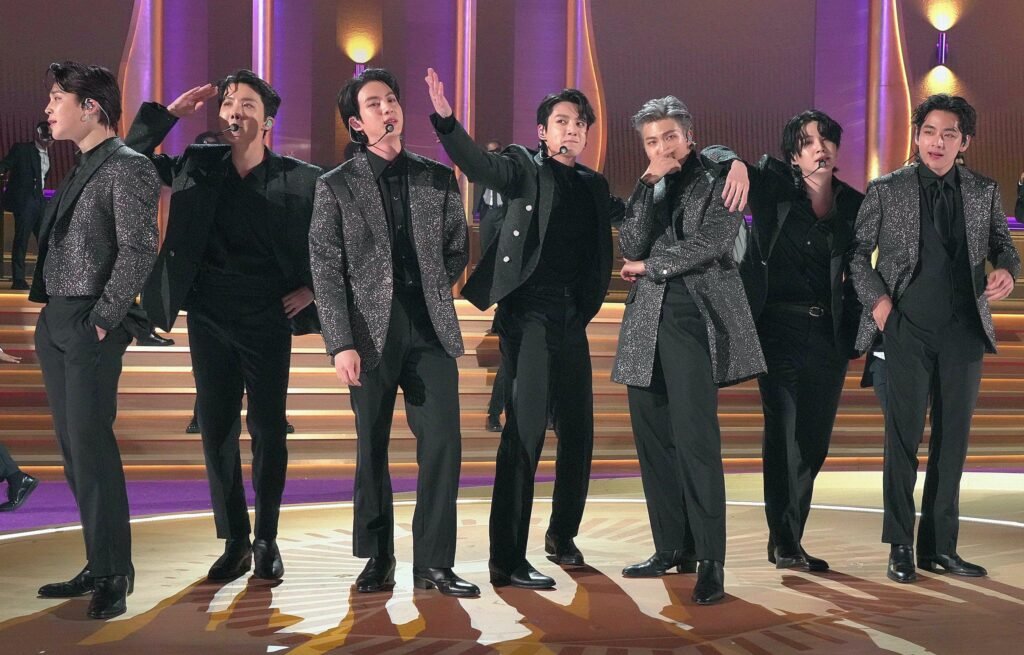
I still remember the first time I walked into the photo pit at The Grammys—strobe towers humming, stage LEDs pulsing like a living thing, and a room full of elite performers who somehow make chaos look easy. Your heart races; your shutter should too. This is where preparation, intuition, and a tiny bit of luck collide. Here’s my behind-the-scenes playbook for photographing The Grammys performers—what actually works when the lights change every second and you get about as much room as a guitar case.
Before the lights: access, plan, and a sane kit
Start with access and boundaries. Confirm the pit rules (“three songs, no flash” is common), where you can stand, and whether backstage coverage is on your credential. Build a short shot list with the artist’s PR: key looks, must-have moments, and any sponsor deliverables. Overpacking is a rookie mistake—lean kits move faster. If you need a refresher on building a dependable event kit, I’ve shared a practical breakdown here: Camera kits and equipment.
Gear that earns its laminate
Flagship mirrorless bodies with fast autofocus and deep buffers are the norm on big shows. I’ve had superb results (and seen plenty of colleagues) with the Sony a1/a9 III, Canon EOS R3, and Nikon Z9. Pair them with fast zooms and a couple of primes so you’re covered from the pit to backstage portraits.
- Main bodies: Sony a1 / a9 III, Canon EOS R3, Nikon Z9 (why mirrorless shines at events)
- Fast zooms: 24–70mm f/2.8 and 70–200mm f/2.8 (your bread-and-butter for stage)
- Primes for character: 35mm f/1.4, 85mm f/1.8–1.4, or a modern 135mm f/1.8
- Cards and power: dual CFexpress/SD, plenty of batteries, and a quiet belt pouch
Affiliate picks I trust for show work (I may earn a commission if you buy through these):
- Sony a1: Amazon | Canon EOS R3: Amazon | Nikon Z9: Amazon
- 24–70mm f/2.8 (brand of your system): B&H
- 70–200mm f/2.8: Adorama
- 85mm f/1.8 for portraits: Amazon
Also see our deeper guides for choosing bodies and glass: Best full-frame cameras, Correct lenses to use, and Best lens for portrait photography.
Settings that save you when the LEDs get wild
Stage lighting at The Grammys can jump from a tungsten wash to laser-sharp magenta in one beat. What’s worked for me:
- Shutter speed: 1/800–1/2000 for leaps, hair flicks, and drum hits. Slower (1/200–1/400) for moody moments if you want a hint of motion. Learn more: Shutter speed and Controlling movement.
- Aperture: f/2.8–f/4 on zooms; open up on primes if AF can keep up and you trust your focusing.
- ISO: Auto ISO with a ceiling you can live with (e.g., 12,800 on modern sensors). Read: ISO explained.
- White balance: Set a Kelvin you like (3200–5600K) or leave it Auto and correct later. Either way, shoot RAW. More on white balance and working in RAW.
- Flicker control: Use anti-flicker or high-frequency flicker mode if your camera has it—LEDs can band with silent shutters.
- Drive and AF: High-speed continuous, subject-detect AF (Face/Eye). Assign back-button AF so you can pre-focus and recompose fast.
Backstage portraits: fast, flattering, respectful
Backstage is tight and time is thinner than a guitar pick. I default to available light near a mirror or soft practical, and add small, respectful fill only when it helps. A compact on-camera flash (bounced) or a tiny strobe on a stand can save a look without nuking the ambience.
- Light touch: Bounce a round-head flash (with a 1/4 CTO gel if the room is warm) for natural skin.
- Fast glass: 35mm for context, 85mm for classic portraits. Mind your depth of field.
- Fill without fuss: Keep it subtle—crew and artists are working. Try this guide: Fill-in flash.
Affiliate lights I like for quick backstage setups:
Composing under chaos
When performers hit the stage, gestures tell the story—hands to the sky, mic reach, eye contact with the crowd. I like starting tight at 200mm for impact, then swinging wide for context when the stage design becomes a character. Long lenses compress the pyros into candy; wides stitch artist, set, and audience together. If composition under pressure trips you up, revisit these: Focal length, Understanding light, and The essentials of photography.
AI tools and a fast delivery workflow
Turnaround is everything on award nights. My path looks like this: ingest and tag in Photo Mechanic, quick selects to Lightroom Classic, then AI Denoise for the high-ISO frames. For tougher noise or color casts, Topaz Photo AI or DxO PureRAW can earn their keep. I finish with crisp, contrasty blacks that hold LED color without crushing skin. Then export an “editorial color” set and a clean B&W set for social.
- Start here if you’re building your editing flow: Post-production
- And if your files look flat straight out of camera: Working in RAW
Backstage + stage cheat sheet for The Grammys performers
- Pre-show rituals: vocal warmups, instrument tuning, last looks in the mirror
- Wardrobe details: hands on sequins, custom boots, jewelry glints
- Stage manager calls and in-ear moments just off the wings
- First step on stage + crowd light-up
- Signature moves: mic reach, guitar bend, dance freeze, drummer stick blur
- Guest collabs and hugs between artists
- Pyro/CO2 hits, confetti rain, laser sweeps
- Audience reactions (tears, phones-lit waves, cutaways to nominees)
- Trophy close-up with fingerprints and tiny scratches—texture tells truth
- Quiet exhale after exit—those 10 honest seconds
Etiquette and safety (the unglamorous stuff that keeps you invited back)
- Be invisible in the pit: kneel, rotate in, rotate out; don’t block broadcast cams.
- No flash on stage unless explicitly cleared. Respect performers and audience.
- Watch cables and pyro lines; protect your ears.
- Label your cards and batteries; never borrow without logging it with the team.
- Credit properly and deliver on time—relationships are your real pass.
More deep dives for award-night success
- Behind the Lens: Capturing the Magic of The Grammys Performers
- How Photography Shapes the Image of The Grammys Performers
- Manual setting • Metering • Balancing exposure manually
- Image resolution • Aperture • Understanding light
Small confession: I still get jittery before the first act. It’s good. It means you care. Take a breath, set your baseline exposure, and find the story in the gestures. The Grammys performers give you the moments; your job is to be ready when they happen.
Affiliate disclosure: As an Amazon Associate and partner with select retailers, NepShoot may earn from qualifying purchases made via the links above—at no extra cost to you. Your support helps us keep creating practical, real-world guides.